

Grades 3–5
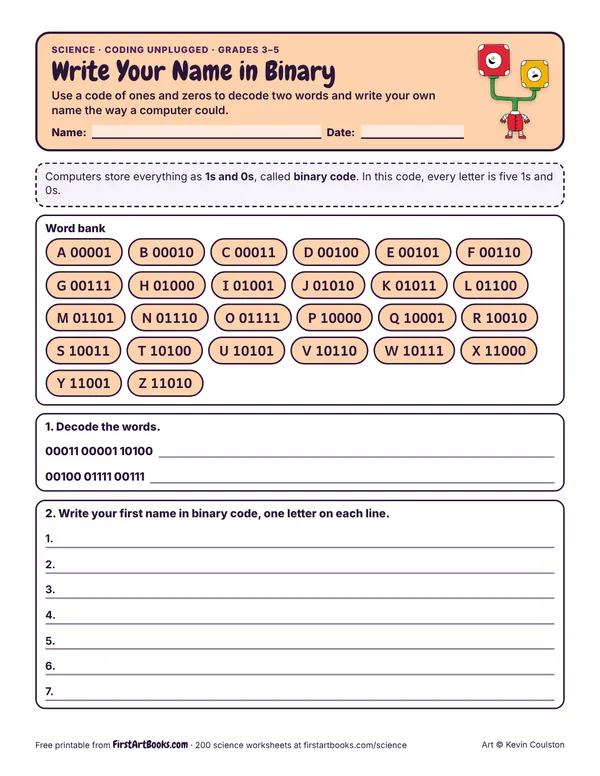
Write Your Name in Binary
Use a code of ones and zeros to decode two words and write your own name the way a computer could.
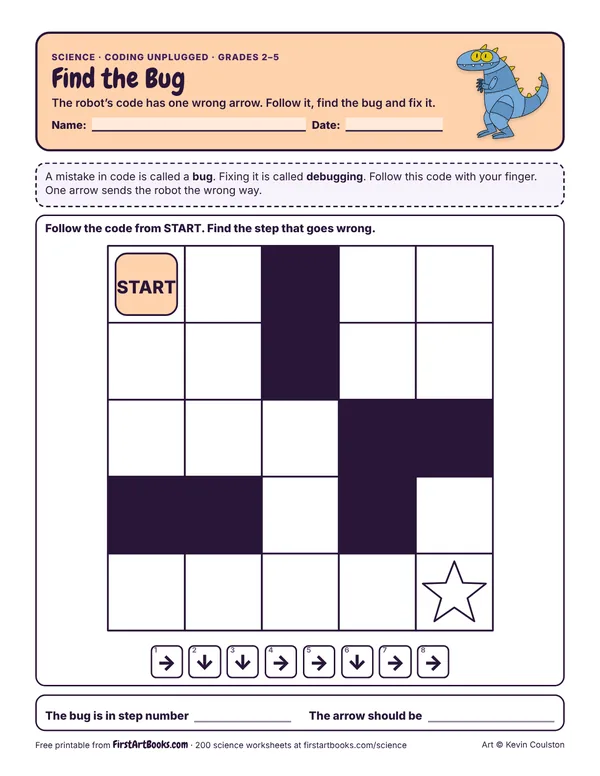
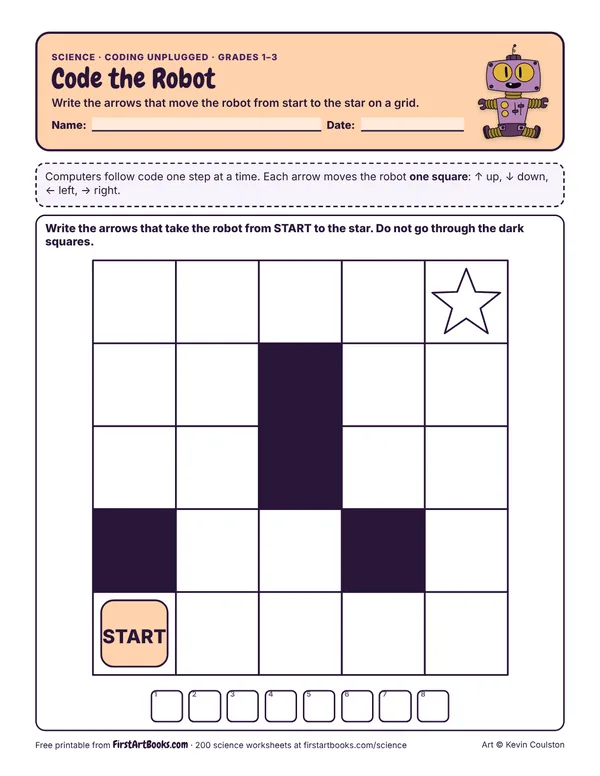
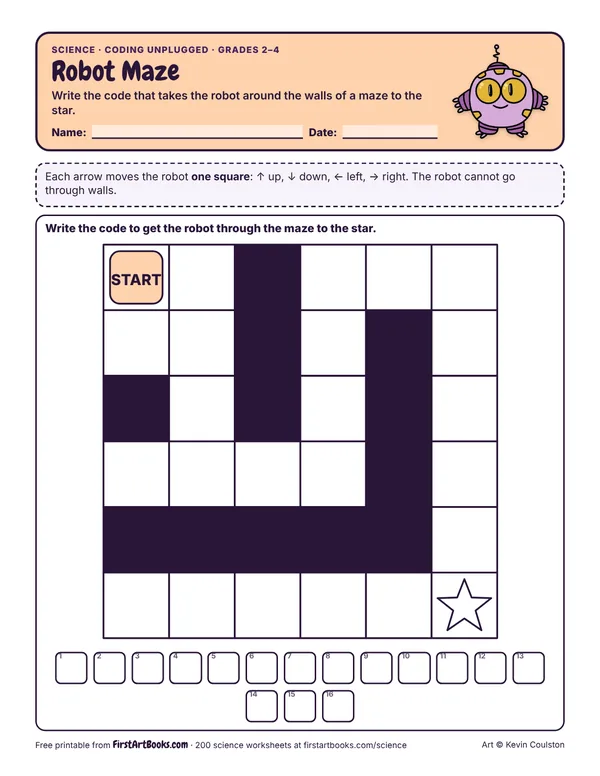
The robot’s code has one wrong arrow. Follow it, find the bug and fix it.
Printed on the sheet:
Read the code out loud as a class, step by step.
Mixing up the robot’s left and right when it faces down the page. Turn the paper to match.
Have kids write a code for a partner to follow on a grid.
US Letter, prints well in black and white. Free for home and classroom use: print as many copies as you need.
Use a code of ones and zeros to decode two words and write your own name the way a computer could.
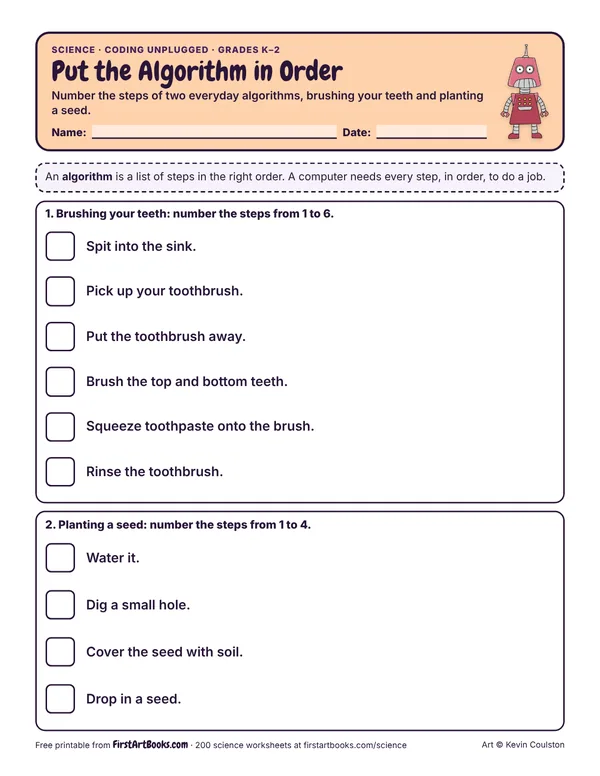
Number the steps of two everyday algorithms, brushing your teeth and planting a seed.
12 printable pages: six step-by-step lessons, a grid activity, draw-and-write sheets and teacher notes, sent with your welcome email. After that, new classroom printables by email.